When you select the Code Maintenance tool, the corresponding part appears.
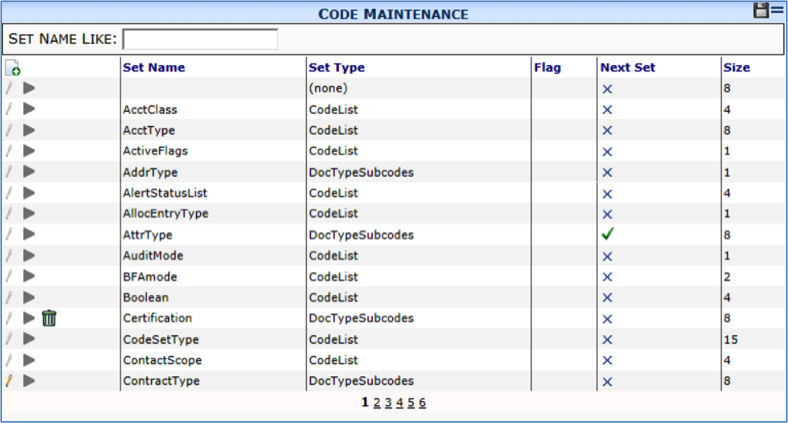
Columns
| Set Name | The name of the set of choices, i.e., the code set. |
| Set Type | Whether the code set is associated with Doc Types (DocTypeSubcodes) or not (CodeList). |
| Flag | The flag, if any, associated with the code set. See page 50 for a description of possible flags. |
| Next Set | Whether or not a second code set offers further choices within the option selected at the Set Name. By default, AcctType and AttrType are the only code sets that allow a next set. |
| Size | The maximum number of characters for codes in this set. Size can be 1, 2, 4 or 8. |
Filter
| Set Name Like | Type the first few characters or use the wildcard (%) to find one or more code sets by Set Name. |