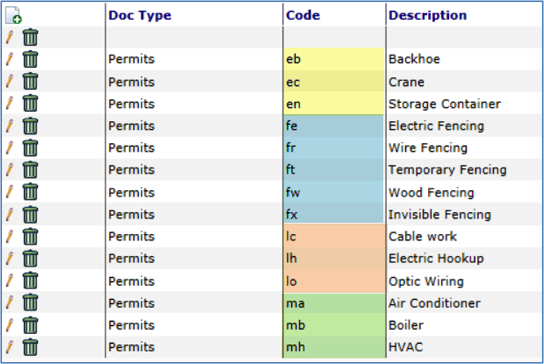
You can establish a relationship between two code sets (ex: Subtype and ItemType) using the ItemCodeLike rule. You would then use one-character codes in the parent code set (ex: Subtype) and two-character codes in the related code set (ex: ItemType) where the first characters correspond to the codes in the parent code set.
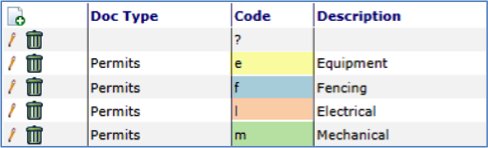
For example, Permits might use the following codes in the Subtype code set.
And Permits might use the following corresponding codes in the ItemType code set.