
 The following capabilities assume that the user has been given access/edit rights to the documents and sections in question. See Document Update Rights and General Document Capabilities.
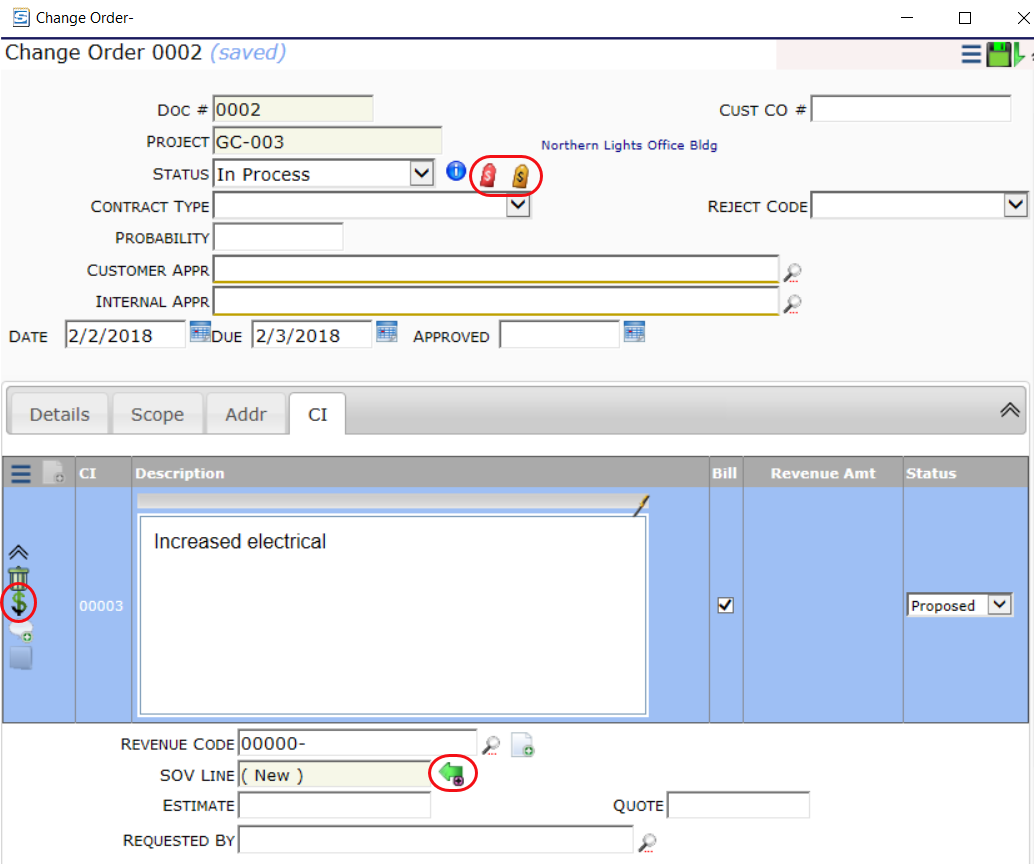
DOC | Post Expenses (RI)
- R is a required permission for this capability.
- I allows the user to post expenses.
DOC | Post Revenue (RI)
- R is a required permission for this capability.
- I allows the user to post revenue.
PAGE | Select/Designate target SOV Line for Change Item (R)
- R allows the user to designate where Change Items will be listed in the SOV workbook.
DOC | Change Order Linking (RIS)
- R is a required permission for this capability.
- I allows the user to create a CCO, Commitment or RFQ document from the Budget Entries window.
- S allows the user to break an RFQ out of a Change Order workflow and create an independent CCO or Commitment from the RFQ.
PAGE | ItemTask/Budget Detail (R)
- R allows the user to view and access the Budget Entries from a Change Item on the CI tab. What the user is allowed to do in Budget Entries comes from permissions for the Items and Doc type.
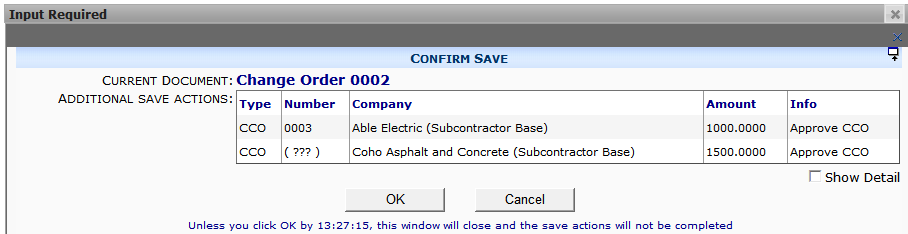
PAGE | Document Save Confirmation (everyone) (R)
- R allows the user to confirm saving of CCOs when posting expenses on a Change Order.
DOC | Permissions for any item on the document (RUDS)
- R allows the user to view Change Items on the document (in grid view only) even if not a Collaborator and even if the document is closed.
- U + D allow the user to delete Change Items even if not a Collaborator.
- U + S allow the user to update Change Items even if not a Collaborator.
- S allows the user to expand Change Items even if not a Collaborator and even if the document is closed. Note: this permission is required in order to expand budget entries on a CI tab once the document is closed.
Note:
In order for a user to be able to Get Existing Items from the CI tab, the user must have Document Access to the Change Item Register also.