
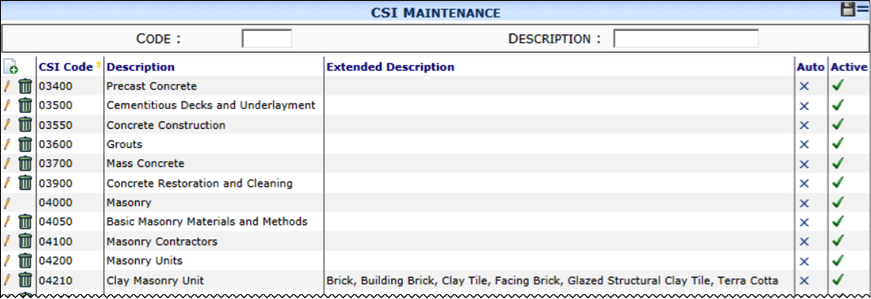
When you select the CSI Maintenance tool, the corresponding part appears.
Columns
| CSI Code | The 5- or 6-digit Construction Specification Institute code. |
| Description | A short description of the CSI code. This description can automatically populate the Description field on many Spitfire documents. |
| Extended Description | A longer description of the CSI code. This description can automatically populate the Description field of Items on certain Spitfire documents, |
| Auto | Whether or not the CSI Code should be used to create a cost code automatically during the setup of a new project. (See KBA-01398 for more information.) |
| Active | Whether or not the CSI code can be used and selected from lookups in sfPMS. |
Filters
| Code | Type the first characters of the CSI code(s) you want to find. |
| Description | Type a few characters or use the wildcard (%) to find a specific Description. For example, %ings will find all Descriptions ending in ings such as Furnishings. |